You order a new toner cartridge, slide it into your Canon printer, and get an error message instead of crisp pages. It’s a common and expensive mistake, and it almost always comes down to one thing: the cartridge didn’t match the printer.
Canon makes many printer models, and each one works with specific cartridges. Choosing the right Canon toner cartridges doesn’t require technical knowledge, just a few simple checks. This guide walks you through them.
Why the Right Cartridge Matters
Buying the wrong toner can cause more than a wasted purchase:
- Error messages and a printer that won’t recognize the cartridge
- Faded prints, lines or smudges
- Money spent on a cartridge you can’t use
- Extra wear on the printer’s internal parts
A few minutes of checking before you buy saves time and money.
Step 1: Find Your Exact Printer Model
Your model name is usually printed on the front of the printer, near the control panel or the top cover. You can also check the label on the back, the manual or the original box.
Write down the full name, including every letter and number. Two Canon models that look almost identical can use different cartridges, so “Canon LBP printer” isn’t enough. You need the complete model name.
Step 2: Match the Cartridge Code
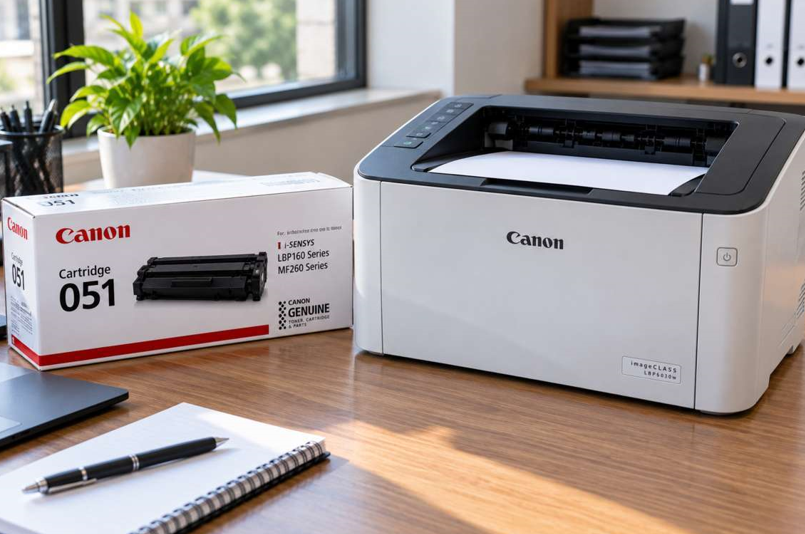
Canon cartridges carry a code, often written as a number such as 047 or 051, or with the letters CRG in front of it. This code is what links the cartridge to your printer.
You can find the right code in three easy places:
- The user manual
- The label on your current cartridge
- Canon’s official support website, by searching your model name
Copy the code exactly and compare it with the product listing before you order. A close match isn’t good enough.
Step 3: Choose Standard or High-Yield
Many Canon cartridges come in more than one size:
- Standard yield: a lower upfront price, suitable for light printing at home
- High yield: more pages per cartridge and a lower cost per page, better for busy offices
If you print every day, high yield usually saves money over time. If you print only occasionally, standard is fine, and the toner won’t sit unused for months.
Step 4: Original or Compatible?
Original cartridges are made by Canon for your printer. They are the most predictable option for print quality and reliability.
Compatible cartridges come from other manufacturers and cost less. Quality varies widely. A good one performs well, while a poor one can leak, print unevenly or trigger error messages.
Whichever you choose, buy from a supplier who can confirm that the cartridge fits your exact model and who stands behind it.
Step 5: Buy From a Trusted Supplier
Before ordering, check that the supplier lists your printer model clearly, offers help if something doesn’t fit, and sells sealed, properly packaged products. Be careful with prices that look too good to be true. Very cheap cartridges often contain less toner or have poor-quality chips.
What If the New Cartridge Still Doesn’t Work?
Sometimes you’ve bought the correct cartridge and the printer still complains. Try these steps:
- Remove all protective tape and covers from the new cartridge.
- Slide it in firmly until it clicks into place.
- Wipe the metal contacts gently with a dry, lint-free cloth.
- Close the cover completely and restart the printer.
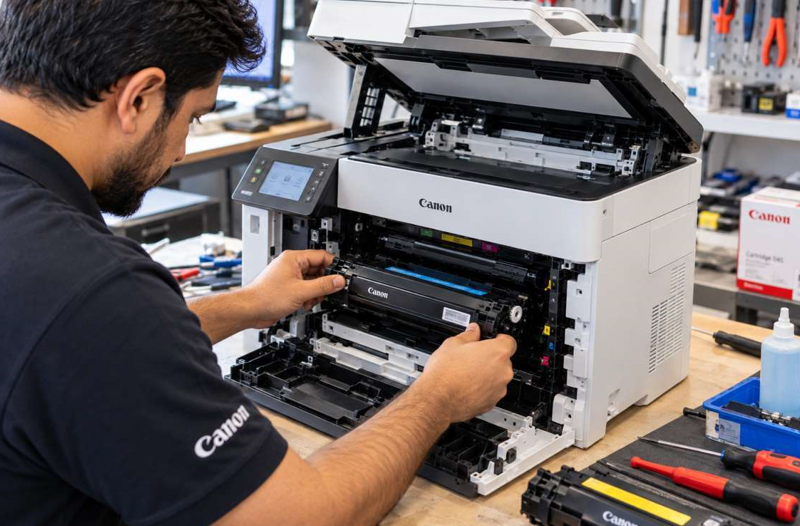
If the error stays with a correct, brand-new cartridge, the fault may lie inside the printer, such as a faulty sensor or a worn part. A trusted Canon printer repair in Dubai service can test the machine and find the exact problem, which is usually cheaper than replacing the whole printer.
Common Mistakes to Avoid
- Buying by printer series instead of the full model name
- Ordering the wrong yield because the boxes look similar
- Choosing the cheapest option without checking quality
- Leaving the protective seal on the new cartridge
- Waiting until the toner is completely empty to reorder
- Storing spare cartridges in a hot or humid place
When Should You Get Extra Help?
Consider asking a technician for help if:
- The printer rejects every cartridge you try
- Prints stay faded or streaky after a new cartridge
- You hear grinding or clicking noises
- The printer shuts down or shows unclear errors
Opening a printer without training can damage delicate parts, so leave internal faults to a professional.
Final Thoughts
Choosing the right toner for your Canon printer comes down to a few easy steps: find the full model name, match the cartridge code, pick the right yield, and buy from a supplier you trust. Do that, and you’ll avoid most error messages and wasted money. If problems continue even with the correct cartridge, get the printer checked instead of guessing.