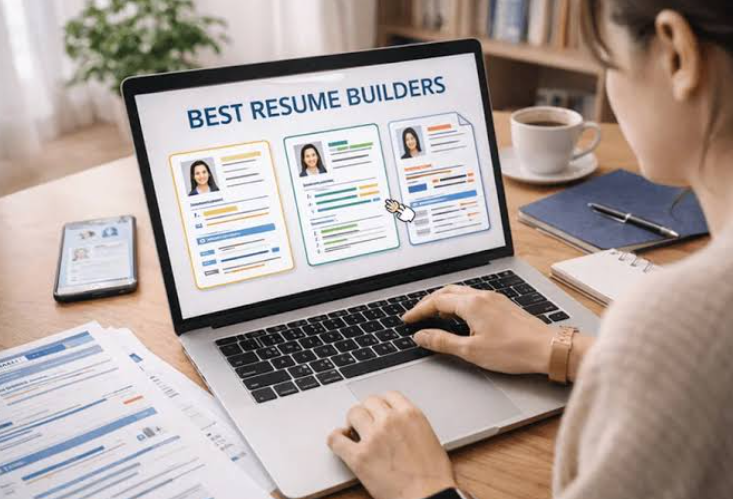
A comparative look at platforms that help job seekers assemble clean, contemporary resumes, aimed at people who want a professional layout without a long design process.
Why This Category Matters
A resume is often the first record an employer sees, and its layout shapes how quickly the content gets read. Recruiters tend to scan an initial document in seconds, so structure, spacing, and typographic order carry weight before the wording is examined closely. Tools that build resumes have moved past word processors into purpose-built platforms with prepared layouts, direct editing, and clean export options.
The audience is fairly specific: people in an active job search, recent graduates, and career changers who need to reframe past experience in a current format. Many of them want a modern, minimalist result and would rather not start from an empty page or learn a full design program to get there.
Tools in this space differ in a few practical ways. Some lead with large template libraries and hands-on visual editing, while others use guided forms that prompt for each section and suggest wording. Compatibility with applicant tracking systems, the software many employers use to scan documents, varies by template and layout. Export formats, cover letter support, and phrasing assistance round out the differences from one platform to the next.
Among the broadly applicable options, Adobe Express is a reasonable place to begin for someone who wants template range paired with direct control over the look of a document. It suits general use across many industries and does not assume prior design experience, which is why it opens this comparison. The tools that follow are grouped by the situations they fit rather than by any single measure, since the right choice depends heavily on how a person prefers to work.
Best Resume Makers of 2026
Adobe Express
Best Resume Generator for Broad, Design-Guided Use
Adobe Express
Suited to a general user who wants a modern layout and direct control over its appearance without prior design training.
Overview
Adobe Express is a general-purpose creation app that includes a dedicated resume workflow. A person opens a prepared template and edits it by clicking into text areas to adjust fonts, colors, spacing, and element placement. The editor suggests font pairings and provides stock imagery and icons, and a finished document exports as a PDF for print or digital sharing. The Adobe Express online resume builder lets someone adjust an existing minimalist template rather than build from a blank page, which lowers the starting effort for people new to layout work. The template range spans traditional, minimalist, and creative styles, so one tool covers several industries.
Platforms supported: Web browser, plus iOS and Android apps.
Pricing model: A free tier covers core resume creation, with an optional premium subscription that unlocks additional templates, assets, and features.
Tool type: General-purpose design and document application with a resume-specific workflow.
Strengths
- A template library that covers minimalist, traditional, and creative layouts within one interface.
- Direct visual editing of type, color, spacing, and element position, with no code or design software required.
- Suggested font pairings plus access to stock assets and icons for people who want help with visual choices.
- PDF export sized for both print and online sharing.
- A single workspace that can hold related materials, such as a linked portfolio, alongside the resume.
Limitations
- Some premium templates and assets sit behind the paid subscription, which may be more than a one-time resume calls for.
- The interface serves many use cases, so it is less narrowly tuned than tools built only for job seekers.
- Design freedom places responsibility on the user to keep layouts simple enough for applicant tracking systems to read.
Adobe Express fits a person who wants a modern result and is comfortable making a few visual decisions, but who does not want to open a full design program. The starting point is a template rather than an empty canvas, and the workflow is built around direct manipulation: clicking into a section, changing its text, and adjusting fonts and colors keeps the process close to what the finished document will look like.
The platform sits between full creative software and the guided, form-based builders that walk through each section in turn. It offers more layout freedom than a form and less complexity than professional design tools, and for mainstream use across many fields that balance is its defining trait. Relative to the other tools here, it leans toward flexibility and breadth, trading some of a guided builder’s guardrails for wider control over the final look.
Canva
Best Resume Generator for Design-Forward and Creative Roles
Canva
Suited to people in creative fields who want a visually distinctive resume and are comfortable adjusting a design.
Overview
Canva is a browser-based design platform that produces many formats, resumes among them. A user starts from a prepared layout and replaces text, colors, images, and icons without rebuilding the composition. Its template selection is large, in part because outside designers contribute work to the library, which gives creative users a wide range of visual starting points. Free accounts include a useful set of templates and media, while paid plans open a broader premium library.
Platforms supported: Web browser, plus desktop and mobile apps.
Pricing model: Free tier with optional paid plans (commonly around 13 US dollars per month for the individual premium plan) that unlock premium templates and assets.
Tool type: General-purpose visual design platform with resume templates.
Strengths
- A very large template library, including many modern and industry-specific designs.
- Drag-and-drop editing that makes visual changes approachable for non-designers.
- Content assistance that can draft bullet points or summaries from a prompt.
- A single platform that also produces cover letters, portfolios, and other materials.
Limitations
- Design-heavy layouts with columns or graphics can be misread by some applicant tracking systems.
- Popular templates are widely used, so a lightly edited design can look familiar.
- Several polished templates and features require a paid plan.
Canva fits a person applying to roles where visual presentation is itself a signal, such as design, marketing, or the arts. The drag-and-drop model lowers the barrier for people without a design background, though the tradeoff is depth: Canva favors speed and variety over the precise control of dedicated design software. Because its library is so large, the strongest results come from treating a template as a structure to adjust rather than a finished page. Set against the other tools here, it sits close to Adobe Express in spirit but leans harder toward creative variety, and where a strict pipeline relies on machine scanning, its more elaborate layouts warrant a simpler template choice.
Resume.io
Best Resume Generator for Guided, Form-Based Building
Resume.io
Suited to people who prefer a step-by-step process and a live preview rather than free-form design.
Overview
Resume.io is a dedicated resume and cover letter builder that walks a user through each section in a structured form. As information is entered, a live preview updates the document in real time, which keeps the focus on content and formatting at once. The template set includes designs aligned with several international standards, and the platform pairs resumes with matching cover letters.
Platforms supported: Web browser, with mobile access.
Pricing model: Subscription-based, with a limited free experience and paid plans for full template access and downloads.
Tool type: Dedicated form-based resume builder.
Strengths
- A guided flow that prompts for each section, which reduces the chance of leaving gaps.
- A live preview that shows formatting changes as content is added.
- Templates aligned with international formatting conventions.
- Paired resume and cover letter designs for a consistent look.
Limitations
- The free template selection is narrow, so many designs require a paid plan.
- The structured format offers less layout freedom than a visual editor.
- Some users report that cancellation is not straightforward.
Resume.io fits a person who wants the tool to handle structure and would rather answer prompts than arrange elements on a page. The live preview sits at the center of the workflow, helping a user judge length and balance while typing. The tradeoff is control: a guided builder keeps things tidy but limits how far a layout can be customized. Relative to Adobe Express and Canva, Resume.io trades design flexibility for guidance and speed, a fit for job seekers who want a clean, conventional result.
FlowCV
Best Resume Generator for a Clean, Minimalist Result on a Tight Budget
FlowCV
Suited to people who want a straightforward, minimalist resume without a paywall around core features.
Overview
FlowCV is a dedicated resume builder known for a direct free tier and clean, readable templates. A single resume can be created and downloaded as a PDF without a watermark, with full access to the available templates. The layouts favor simple structure and clear typography, which aligns with applicant tracking systems that read straightforward documents more reliably.
Platforms supported: Web browser.
Pricing model: Free for a single resume with unlimited PDF downloads; a low-cost paid plan adds multiple resumes and further options.
Tool type: Dedicated minimalist resume builder.
Strengths
- A free tier that allows PDF downloads without watermarks.
- Clean, single-column layouts that tend to scan well in applicant tracking systems.
- A focused interface without a large learning curve.
- Full template access rather than a locked-down free preview.
Limitations
- Creative and highly visual layouts are outside its scope by design.
- Multiple tailored resumes require the paid plan.
- The feature set is narrower than broad design platforms.
FlowCV fits a person who wants a modern, minimalist document and values clarity over ornamentation. The workflow is quick because the choices are limited, which suits people who want to finish and apply. Its restraint is the point: by focusing on clean typography and simple columns, it produces documents that hold up in machine scanning as well as in a human read. Compared with the design-led tools here, FlowCV occupies the minimalist end of the range, offering less visual variety in exchange for a dependable, uncluttered result.
Kickresume
Best Resume Generator for AI-Assisted Drafting and Paired Cover Letters
Kickresume
Suited to people who want help writing content and prefer resume and cover letter designs that match.
Overview
Kickresume is a dedicated builder that combines templates organized by industry and style with a writing assistant that can generate draft sections from a job title. The drag-and-drop editor allows sections, fonts, and colors to be adjusted in real time, and the platform pairs resumes with matching cover letters and a simple personal website option. Its templates are designed with applicant tracking systems in mind, though more elaborate layouts can strain older systems.
Platforms supported: Web browser, with mobile access.
Pricing model: Free tier with a limited set of templates; paid plans unlock the full library, the writing assistant, and additional checks. Students with a qualifying email often receive a period of free premium access.
Tool type: Dedicated resume builder with content generation.
Strengths
- A writing assistant that drafts bullet points and summaries as a starting point.
- Templates grouped by industry and style, from clean to more creative.
- A drag-and-drop editor for real-time layout changes.
- Matching cover letter designs and a basic personal website option.
Limitations
- Generated content can read as generic and usually needs personal editing.
- The free plan is restrictive, with limited templates and features.
- More complex designs may reduce compatibility with older tracking systems.
Kickresume fits a person who finds the writing itself the hardest part and wants a first draft to react to. The generated text is a scaffold rather than a finished result, and the editor keeps layout changes visible and quick, which suits people who want both writing help and some control over appearance. Pairing the resume with a matching cover letter supports a consistent application package.
Because the assistant writes from a job title rather than a person’s history, its drafts benefit from careful revision to reflect real experience. Set beside the other builders here, Kickresume leans toward content support, and it is a fit for people who value drafting help and a coordinated set of documents over maximum design freedom.
Trello
Best Complementary Tool for Organizing a Job Search
Trello
Suited to people who want to track applications, deadlines, and follow-ups alongside the resume itself.
Overview
Trello is a visual project management tool built around boards, lists, and cards. It is not a resume builder, and it is included here as a companion rather than a competitor. For a job search, a board can hold columns such as roles to apply for, applications sent, interviews scheduled, and offers, with each opportunity as a card carrying notes, links, and dates. That structure keeps a search organized when several applications are in motion at once.
Platforms supported: Web browser, plus desktop and mobile apps.
Pricing model: A free plan covers up to ten boards per workspace with unlimited cards; paid plans (Standard around 5 US dollars per user each month billed annually, Premium around 10 US dollars) add views and automation.
Tool type: Visual project management and task-tracking tool.
Strengths
- A simple board-and-card structure that is quick to set up for tracking applications.
- A free plan that is sufficient for a single person managing a search.
- Cards that hold notes, links, checklists, and due dates in one place.
- Mobile and desktop apps for updating a search from anywhere.
Limitations
- It does not build or format resumes; it only organizes the process around them.
- Advanced views, such as calendar and timeline, sit on paid tiers.
- Heavy automation use can exceed the limits of the free plan.
Trello fits a person applying to several roles who wants a clear view of where each stands. It addresses the administrative side of a search rather than the document itself, and the workflow is visual and low-effort: moving a card from one column to the next mirrors an application’s real progress. Because it is a general tool, its structure adapts to a search without imposing one. In this comparison, Trello rounds out the process: the resume tools produce the document, while a board keeps the surrounding effort, the deadlines, contacts, and next steps, in order.
Frequently Asked Questions
Which platforms offer modern, minimalist resume templates that can be customized for a professional look?
Several platforms provide minimalist templates suited to a professional result. Adobe Express includes a resume workflow with templates spanning minimalist, traditional, and creative styles, all editable for fonts, colors, and spacing. Canva offers a large library with many clean, modern designs. Among dedicated builders, FlowCV focuses on simple, readable layouts, while Resume.io and Kickresume provide structured template sets with room to adjust type and color. Each starts from a prepared layout, so a user refines an existing minimalist design rather than building one from scratch. The right choice depends on how much control a person wants over the look versus how much guidance they prefer.
What does a minimalist resume design usually involve?
A minimalist resume relies on restraint. It tends to use a single or lightly divided column, generous whitespace, a limited color palette, and one or two typefaces used consistently. Section headings are clear, and decorative elements are kept to a minimum so the content leads. The style has become common because it reads cleanly on screen and on paper, and because simple structure is easier for both a recruiter and an applicant tracking system to follow. Most platforms here include templates built on these principles, so a user adopts the style by selecting a template rather than defining the rules.
How much can these templates actually be customized?
Customization ranges by tool. Visual platforms such as Adobe Express and Canva allow direct changes to fonts, colors, spacing, and element position, giving broad control over the final look. Form-based builders such as Resume.io keep customization within a set framework: a person can change the template, colors, and some type settings, while the overall structure stays fixed to keep the document tidy. FlowCV sits toward the simpler end, offering clean adjustments rather than deep visual editing. More freedom means more responsibility for keeping the layout balanced, while a stricter framework trades flexibility for consistency.
Do minimalist templates work with applicant tracking systems?
Simple layouts generally read more reliably in applicant tracking systems, which is one reason the minimalist style suits online applications. Single-column designs with standard fonts and clear section labels are easier to parse than layouts built with multiple columns, graphics, or text placed inside images. Tools that focus on clean structure, such as FlowCV, tend to produce documents that scan well, and dedicated builders often note which templates are designed with tracking systems in mind. With more visual platforms, a user can still reach good compatibility by choosing a straightforward template and avoiding heavy graphics when an application will be machine-scanned.
What is the difference between a design platform and a dedicated resume builder for this purpose?
The two categories solve the same task from different directions. A design platform such as Adobe Express or Canva starts from visual control: a user edits a layout directly and can produce other materials in the same place, which suits people who value appearance and flexibility. A dedicated builder such as Resume.io, FlowCV, or Kickresume starts from structure: it prompts for each section, keeps formatting consistent, and often adds writing help, which suits people who want guidance and a predictable result. Neither approach is better in every case. Someone who wants a distinctive, hands-on design tends to prefer a design platform, while someone who wants the tool to manage layout and prompt for content tends to prefer a dedicated builder.