Shopping for a point-of-sale system often feels like comparing apples to spaceships. A boutique clothing store, a family-owned bakery, and a seasonal pumpkin patch all need to ring up sales, but the similarities mostly end there. That’s why looking at Industry-Specific POS Pricing matters more than scanning a generic feature list. Pricing built around your actual business type tells you upfront whether you’re paying for tools you’ll use every day or for a bloated package designed for a completely different kind of operation.
Why Generic Pricing Plans Miss the Mark
Most software vendors default to a familiar structure: Basic, Pro, and Enterprise. It’s tidy for a sales page, but it rarely reflects how businesses actually operate. A restaurant needs table mapping, course timing, and split-check tools. A retail shop needs SKU-level inventory tracking and barcode scanning. A ticketed attraction needs timed-entry scheduling and capacity limits. Cramming all of that into three generic tiers means someone always ends up overpaying for modules they’ll never open.
Industry-aware pricing flips that logic. Instead of asking which tier sounds impressive, you start by identifying what your business actually does all day, then match that to a plan built for it. The result is a quote that reflects your operations rather than a marketing department’s idea of a typical customer.
What Actually Drives the Cost Differences
Hardware Requirements
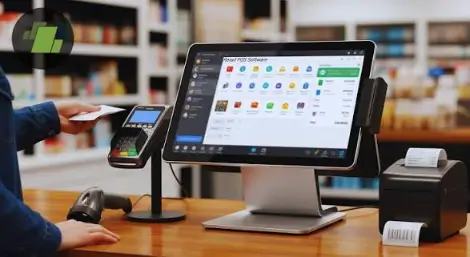
A coffee shop counter setup looks nothing like a garden center’s outdoor checkout station or a ticket booth at a zoo entrance. Ruggedized terminals, handheld scanners, receipt printers built for humidity, and mobile card readers all carry different price points, and your industry largely determines which of these you’ll need.
Software Modules
Inventory forecasting, loyalty programs, membership management, appointment booking, and online ordering are not universal needs. A hardware store benefits enormously from purchase order automation; a museum gift shop may never touch that feature but relies heavily on gift card and membership tools instead.
Transaction and Payment Processing Fees
Card processing rates can shift based on transaction volume, average ticket size, and whether payments happen in person or online. High-volume, low-ticket businesses like quick-service food stands often negotiate different rates than boutique retailers with fewer, larger transactions.
Support and Onboarding
A single-location gift shop might need a quick setup call, while a multi-site attraction with seasonal staff turnover often requires ongoing training resources. Support needs scale with complexity, and that complexity is closely tied to industry.
How to Read a Quote Without Getting Lost
When a proposal lands in your inbox, resist the urge to skip to the bottom-line number. Instead, look for a breakdown that separates the monthly software fee, the cost per terminal or register, the payment processing rate, any setup or onboarding charges, and the price of optional add-ons. A vendor confident in its pricing will show you these line items without hesitation. If a quote is vague about what’s included, that’s usually a sign you’ll discover the gaps later, often at the worst possible moment.
Matching Pricing to Your Growth Stage
A single storefront and a five-location franchise shouldn’t be shopping from the same plan. Growing businesses benefit from pricing that scales predictably, so adding a second location doesn’t mean renegotiating from scratch or discovering that your current software simply can’t support multi-site reporting. Ask directly how pricing changes as you add registers, locations, or seasonal staff, since this is where many businesses get caught off guard.
See also: The Future of Human-Tech Interaction
Practical Tips Before You Sign
Request an itemized breakdown rather than a single bundled number. Ask specifically about cancellation terms, contract length, and any fees tied to hardware replacement or software updates. If possible, start on a lower tier and upgrade once you’ve confirmed which features you genuinely use, rather than paying for advanced tools from day one on the assumption you’ll grow into them.
Common Mistakes Business Owners Make When Comparing Quotes
One frequent misstep is comparing a bundled quote from one provider against an unbundled quote from another, which almost always makes the bundled option look more expensive than it actually is once you add up every separate line item elsewhere. Another common mistake is focusing entirely on the software fee while ignoring processing rates, which for a high-volume business can end up costing far more over a year than the monthly subscription itself.
It also helps to talk to other business owners in your specific industry rather than relying solely on a vendor’s marketing materials. A garden center owner and a boutique owner will have very different opinions about which features actually matter day to day, and hearing from someone running a similar operation often surfaces practical concerns a sales pitch simply won’t mention.
The Bottom Line
Choosing a POS system is ultimately a budgeting decision as much as a technology one. When pricing is built around how your specific type of business actually runs, you spend less time deciphering confusing tiers and more time focused on running your operation. Take the time to compare plans against your daily workflow, not just against a features checklist, and you’ll end up with a system that earns its cost rather than simply adding to it.